
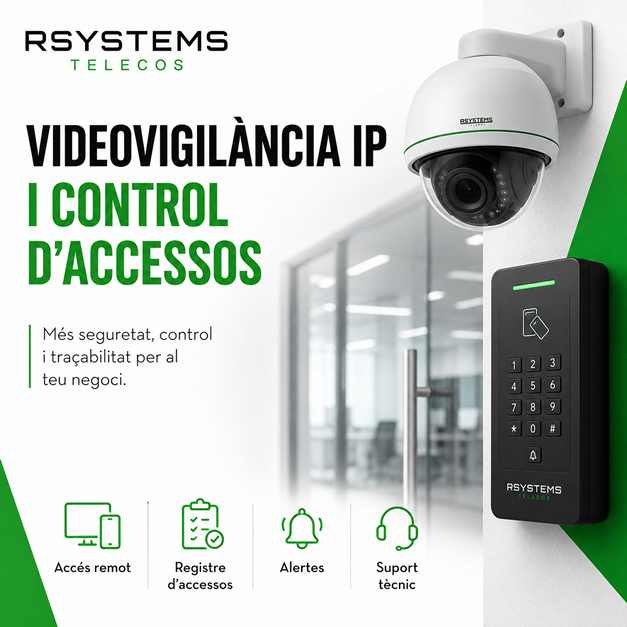
IP Video Surveillance and Access Control to Protect Offices, Warehouses, and Businesses
A company’s security does not depend only on having an alarm system installed. Today, many offices, warehouses, shops, storage facilities, and professional spaces need more complete, connected, and easy-to-manage systems. IP video surveillance for businesses, access control, and automation systems provide greater control over what happens inside and outside the business.
It is not only about recording images. It is about knowing who enters, when they enter, what happens in specific areas, how access is managed, and how actions can be automated to improve security, convenience, and efficiency.
A well-designed solution can help protect facilities, monitor critical areas, reduce risks, and simplify the company’s daily management.
What is IP video surveillance for businesses?
IP video surveillance is a camera system connected to the company’s network. Unlike older systems, IP cameras offer more flexible management, better image quality, controlled remote access, and integration with other security systems.
This type of video surveillance is especially useful for businesses that need to monitor entrances, receptions, warehouses, loading areas, offices, car parks, corridors, or spaces with movement of people and materials.
Why might a business need IP cameras?
Every business has different needs. An office may want to monitor the main entrance; a warehouse may need to supervise loading docks; a shop may want to protect customer service areas; and a storage facility may require visual control over entrances, exits, and transit areas.
IP video surveillance can be adapted to each environment and expanded if the company grows or changes its layout.
Entrance and exit control
One of the most common applications is controlling who enters and leaves the business. Cameras can cover main doors, secondary entrances, receptions, loading areas, car parks, or employee access points.
This helps provide greater traceability and allows specific situations to be reviewed if an incident occurs.
Monitoring sensitive areas
Some areas of a business may require additional control: warehouses, technical rooms, communication racks, areas containing valuable materials, cash areas, receptions, or spaces with critical equipment.
A properly designed camera installation allows these areas to be protected without covering unnecessary spaces.
Controlled remote access
With an IP system, images can be accessed remotely, always with secure configuration and appropriate permissions. This can be useful for management, security managers, or people responsible for monitoring facilities.
Remote access must be properly configured to avoid risks and ensure that only authorized people can view the system.
Access Control: Knowing Who Can Enter and Where
Access control allows businesses to manage who can enter specific areas and during which hours. It can operate using cards, codes, keypads, readers, relays, or other systems adapted to each installation.
This type of solution is very useful when not everyone should have access to all areas. For example, office areas, warehouses, technical rooms, management areas, or restricted zones can be separated.
Employee access
Each employee can have permissions adapted to their role. This makes it easier to control who can access each space and avoid uncontrolled use of shared physical keys.
Schedules and permissions
Access can be defined according to working hours, shifts, specific days, or special requirements. This is especially useful for companies with different teams, schedules, or restricted areas.
Reducing physical keys
Physical keys are difficult to manage when there are staff changes, losses, or uncontrolled copies. An access system provides more flexible and secure management.
Connected alarms and events
Business security can also include alarms, sensors, and connected events. A well-designed system can send alerts, trigger actions, or record specific situations.
For example, a notification can be activated when a door opens outside business hours, when movement is detected in a specific area, or when an unauthorized access attempt occurs.
Automation to improve security and convenience
Automation systems allow certain actions to be performed automatically or in a controlled way. This can include opening doors, activating relays, turning on lights, arming or disarming systems, activating scenes, or generating alerts.
These types of solutions are very useful when a business wants to reduce manual tasks, improve control, and avoid repetitive errors.
Relays and contacts
Relays allow control of specific devices or actions, such as doors, barriers, lights, alarms, or other compatible elements. When properly configured, they can become part of a broader security and automation system.
Scheduled scenes
A scene can group multiple actions together. For example, when closing the business, lights can be turned off, the alarm activated, access points locked, and certain systems prepared.
Time-based schedules
Some actions can be programmed according to schedules: opening, closing, alarm activation, access restrictions, or automatic notifications.
The network is also important in IP security
When discussing IP cameras, access control, and automation systems, the network must also be considered. These systems depend on properly designed infrastructure: cabling, switches, racks, power supply, segmentation, and secure configuration.
A security installation can experience problems if the network is unstable, not properly separated, or if the traffic generated by cameras has not been considered.
That is why it is recommended to approach security and networking as a single technical solution.
Common mistakes in business security installations
A poorly designed security installation can end up being ineffective or difficult to maintain. Some common mistakes include:
- Installing cameras without properly analysing critical points.
- Ignoring the quality of the internal network.
- Using insecure remote access methods.
- Not correctly defining user permissions.
- Not separating cameras and devices from the main network.
- Not documenting the installation.
- Not reviewing recordings, schedules, or notifications after implementation.
Which businesses can benefit from these solutions?
IP video surveillance and access control can be suitable for many professional environments.
Offices
To monitor receptions, access points, technical rooms, employee areas, or entrances outside business hours.
Warehouses and storage facilities
To monitor entrances, exits, loading docks, transit areas, and spaces containing materials or goods.
Retail businesses and customer-facing companies
To protect customer service areas, cash points, storage areas, entrances, and sensitive locations.
Facilities with employees or shifts
To manage permissions, schedules, and differentiated access according to each team or time period.
Security and automation with RSystems Telecos
At RSystems Telecos, we help businesses implement IP video surveillance, access control, alarm, and automation solutions adapted to each environment. We review the space, critical areas, existing network, access points, control requirements, and automation options.
The goal is for the company to have a useful, secure, and easy-to-manage solution, not simply a camera installation without proper planning.
You can find more information about this service on our business security and automation page.
Would you like to better protect your business?
If you want to install IP cameras, control access, automate actions, or review your current security system, we can help you design a tailored solution.
Contact RSystems Telecos and tell us what you need.


