
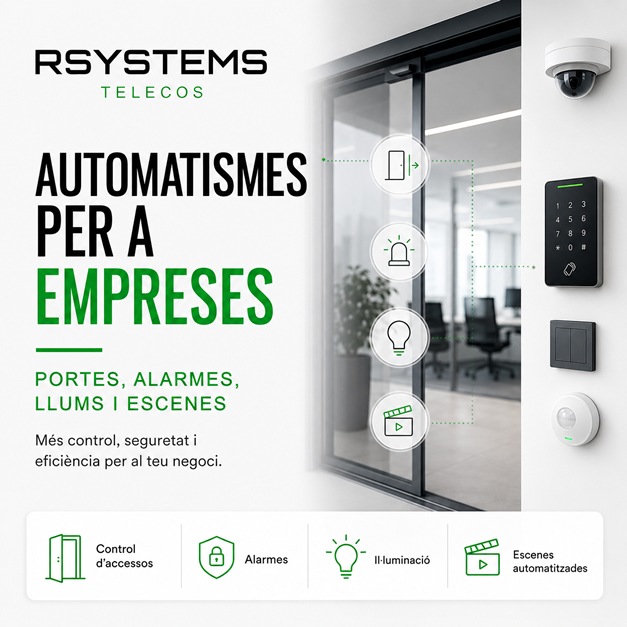
Automation systems for businesses: doors, alarms, lights, scenes, and schedules
Many companies still manage repetitive actions manually: opening doors, turning off lights, activating alarms, checking access points, controlling schedules, or receiving alerts when something unusual happens. These tasks may seem small, but when they are repeated every day, they can lead to wasted time, errors, and a lack of control.
Business automation systems allow different systems to be connected so that certain actions can be carried out automatically, scheduled, or controlled from a secure environment. This can include doors, alarms, relays, lights, scenes, schedules, notifications, access systems, and other technical elements of the business.
It is not only about convenience. A well-designed automation system can improve security, reduce manual tasks, and help the company work with greater organization and planning.
What are business automation systems?
Business automation systems are solutions that allow actions to be carried out automatically or in a controlled way according to a condition, schedule, access, alarm, or specific command.
For example, a company can program lights to turn off at a certain time, access points to close, an alarm to activate, or a notification to be generated. It can also configure a scene so that multiple actions are performed with a single command.
These types of solutions can be applied in offices, warehouses, shops, workshops, clinics, workplaces, or any professional space that requires greater control.
Automation does not mean making things complicated
A common mistake is thinking that automating a company means creating a very complex installation. In reality, good automation should do exactly the opposite: simplify processes and avoid repetitive actions.
The goal is not to fill the company with technology without purpose, but to identify which actions are repeated, what risks exist, and which parts of daily operations can be better controlled.
Doors and access control
One of the most common applications of business automation systems is door and access control. Instead of relying only on physical keys, systems can be used to manage permissions, schedules, and openings in a more flexible way.
Controlled door opening
A door can be opened using a card, code, reader, remote command, or programmed action. This allows better control over who enters and when they enter.
Permissions by user or department
Not everyone needs access to all areas. Different permissions can be configured for office staff, warehouse employees, management, maintenance teams, visitors, or suppliers.
Access schedules
Access can be limited according to working hours, shifts, specific days, or special situations. This helps prevent unauthorized entries or unexpected access.
Connected alarms and automatic actions
Alarms do not have to operate separately. They can be part of a broader security and automation system.
For example, an alarm can activate notifications, turn on lights, block access points, or trigger a specific action when an event is detected. This allows businesses to move from a reactive system to a more intelligent and useful solution.
Out-of-hours activation
Different behaviors can be defined depending on whether the company is open or closed. Outside business hours, certain actions can generate alerts or activate security systems.
Event notifications
When a specific action occurs, such as a door opening outside scheduled hours or movement in a sensitive area, the system can generate a notification.
Integration with other elements
An alarm can be connected with lights, cameras, access systems, relays, or other devices. This connection between systems provides greater control and faster responses.
Scheduled lights and scenes
Automation systems can also help manage lighting and scenes. This is useful for security, efficiency, and convenience.
Automatic light shutdown
A company can program certain lights to turn off outside working hours, in unused areas, or after closing.
Activation by schedule or condition
Lights can also be activated at specific times, for example in entrances, parking areas, corridors, or work zones.
Closing scenes
A closing scene can group several actions: turning off lights, activating alarms, blocking access points, preparing systems, and sending notifications.
Relays: small actions with great potential
Relays allow control of specific devices or circuits. They can activate or deactivate doors, lights, alarms, notifications, barriers, auxiliary systems, or other compatible elements.
Although they seem like simple components, when properly configured they can be very useful within a business automation solution.
Control of doors or barriers
A relay can allow a door, barrier, or specific access point to be opened or closed according to a command or condition.
Activation of signals or alerts
It can also activate visual alerts, sound signals, or internal notifications when a specific event occurs.
Connection with existing systems
In many cases, relays allow automation systems to be connected with existing installations without having to replace everything.
Schedules and automatic routines
One of the great advantages of automation systems is the ability to create routines based on schedules. This is very useful for companies with regular opening and closing times, shifts, special schedules, or areas with different usage patterns.
Start-of-day opening
Actions can be prepared for the beginning of the working day, such as activating certain areas, enabling access points, or putting systems into operating mode.
End-of-day closing
End-of-day actions can also be prepared to reduce mistakes: turning off lights, activating alarms, blocking access points, or sending alerts.
Holidays and exceptions
Special schedules, holidays, or vacations can have different configurations to prevent the system from operating like a normal working day.
Automation systems and business security
Automation systems can improve security because they reduce dependence on manual tasks. When everything depends on a person, mistakes can happen: an alarm not activated, a light left on, an unlocked door, or an access point that has not been checked.
With the right configuration, the company can minimize these risks and have better traceability of what happens in its facilities.
Automation systems and efficiency
Besides security, automation can also improve efficiency. Some repetitive actions no longer depend on memory or the available time of the team.
This can help reduce energy consumption, avoid administrative tasks, improve response to incidents, and simplify internal routines.
Practical examples of business automation
Every company can have very different needs, but these are some common examples:
- Automatically activate alarms outside working hours.
- Send alerts if a door opens during an unauthorized time period.
- Turn off lights in unused areas after closing.
- Create a closing scene with multiple actions.
- Allow access only to specific people or schedules.
- Activate cameras or notifications according to events.
- Control doors, barriers, or relays centrally.
- Separate permissions by department, shift, or user profile.
Common mistakes in business automation systems
As with any technical solution, automating without proper planning can create problems. Some common mistakes are:
- Automating actions without analyzing whether they actually provide value.
- Not properly defining permissions and schedules.
- Ignoring the security of remote access.
- Failing to document scenes and configurations.
- Installing systems without reviewing the network or existing infrastructure.
- Not properly testing scenarios before completion.
- Not planning for exceptions such as holidays, vacations, or shift changes.
The importance of a well-designed installation
A good automation project does not begin by buying devices. It begins by analyzing what the company needs, which actions can be improved, what risks exist, and which routines can be simplified.
The infrastructure must then be reviewed: network, cabling, power supply, access systems, permissions, security, and compatibility with existing systems.
A well-designed automation system should be easy to use, secure, documented, and ready to grow if the company needs it.
Business automation systems with RSystems Telecos
At RSystems Telecos, we help companies design security and automation solutions adapted to their environment. We review access systems, alarms, doors, relays, lights, schedules, scenes, and control requirements.
The goal is to create useful, secure, and easy-to-manage automation systems, integrated with the reality of the business rather than added technology without a clear purpose.
You can find more information about this service on our security and automation for businesses page.
Would you like to automate processes in your business?
If you want to control access points, automate doors, alarms, lights, relays, scenes, or schedules, we can help you assess what makes sense for your company.
Contact RSystems Telecos and tell us what you would like to automate.


