
Wired network, WiFi, and VLANs: the foundation of a well-connected business
When a company talks about internet problems, the real issue is often not the contracted fiber connection. It may be the internal network, WiFi, cabling, switches, rack, or an unsuitable configuration for the number of devices and services used every day.
A well-connected company does not depend only on a good internet connection. It needs a stable, organized, and secure internal infrastructure. The combination of wired network, professional WiFi, and VLANs is the foundation for computers, IP phones, printers, cameras, servers, POS systems, and cloud applications to work correctly.
In this article, we explain why the internal network is so important and when it is worth reviewing it to avoid outages, slow performance, congestion, or security issues.
Fiber is only the entry point
Professional fiber is very important, but it is only the connection point entering the company. From there, the connection must be properly distributed throughout the internal infrastructure.
If the cabling is outdated, the rack is disorganized, the switches are not suitable, or the WiFi is poorly designed, the connection may perform badly even if the contracted fiber is fast.
For this reason, when a company has connectivity problems, it is not always necessary to change the fiber connection. Sometimes the network setup itself needs to be reviewed.
What is a professional wired network?
A professional wired network is the physical infrastructure that connects company equipment through structured cabling, network points, switches, and communication racks.
It is the foundation on which many services operate: computers, printers, IP phones, WiFi access points, IP cameras, servers, control systems, terminals, and other connected devices.
Structured cabling
Structured cabling allows stable connections to be delivered to key points throughout the company. There is a big difference between improvised cables and a properly planned, labeled installation designed for maintenance and future expansion.
Good cabling helps prevent incidents, makes problems easier to identify, and allows the network to be more organized and scalable.
Properly sized network points
Every workstation, technical area, WiFi point, camera, or critical device should have a suitable connection. When there are not enough network points, temporary solutions are often created that can cause problems.
Communication rack
The rack is the technical center of the network. It usually contains the router, switches, patch panels, communication equipment, security systems, and other devices.
An organized, documented, and properly ventilated rack greatly simplifies maintenance and reduces incident resolution time.
Why does professional WiFi need a good wired network?
Professional WiFi does not operate in isolation. Access points need to be connected to a stable wired network. If the wired foundation fails, WiFi can also fail.
Many companies try to solve coverage problems by adding repeaters or devices without proper planning. This can create interference, duplicate networks, or unstable connections.
The best solution is usually to install professional access points connected by cable and distributed according to the space and the company’s actual usage.
Offices
In offices, coverage must be provided for workstations, meeting rooms, reception areas, common spaces, and locations where video calls or cloud applications are used.
Warehouses
In warehouses, distance, metal structures, shelving, and the movement of people or equipment can significantly affect coverage.
Industrial environments
In factories and production environments, it is necessary to consider machinery, sensors, terminals, mobile devices, cameras, and systems that may require a more robust network.
What are VLANs?
VLANs allow different logical networks to be separated within the same physical infrastructure. In other words, using the same switches and cabling, separate networks can be created for different purposes.
This is very useful in business environments because not all devices should be placed on the same network.
Internal network
This is the main working network where computers, servers, printers, and internal company equipment are connected.
Guest network
It allows WiFi access for customers, visitors, or suppliers without providing access to the company’s internal network.
IP telephony network
In some cases, separating IP telephony can improve control, quality of service, and security.
IP camera network
Cameras and video surveillance systems can generate their own traffic and have different security requirements. Separating them helps manage the infrastructure more effectively.
IoT devices or automation network
Sensors, relays, access control systems, time tracking systems, or other connected devices can be placed on a separate network to improve control and reduce risks.
Why segment a company network?
Network segmentation is not only a technical matter. It has a direct impact on security, performance, and management.
Greater security
If a guest device, camera, or external equipment is separated from the internal network, the risk of accessing data or systems it should not reach is reduced.
More control
Segmentation allows different rules to be applied depending on the type of device or user. For example, a guest network may only have internet access, while the internal network can access servers or shared resources.
Better performance
Separating traffic helps prevent congestion and allows better management of sensitive services such as IP telephony, video surveillance, or internal applications.
Simpler maintenance
When the network is well organized, it is easier to detect incidents, know where each device is connected, and expand the infrastructure without improvisation.
Professional switches: a key component
Switches are the devices that connect network equipment. In a business environment, basic equipment is not always sufficient. Depending on the case, it may be necessary to use managed switches, PoE, VLANs, and monitoring options.
Managed switches
They allow VLAN configuration, port control, connection status monitoring, and more advanced configurations.
PoE for access points and cameras
PoE allows devices such as WiFi access points, IP cameras, or IP phones to receive power through the same network cable. This simplifies installations and reduces the need for additional power outlets.
Monitoring and diagnostics
In professional environments, being able to review equipment status helps detect incidents before they seriously affect daily operations.
Common mistakes in business networks
Many network problems come from improvised decisions or installations that have grown without proper planning.
- Disorganized racks without labeling.
- Temporary cables becoming permanent solutions.
- Consumer switches used in professional environments.
- WiFi based on repeaters without a coverage study.
- All devices placed on the same network.
- Cameras, guests, and internal equipment without separation.
- Lack of documentation for network points and ports.
- Failure to plan for future growth.
These mistakes can cause slow performance, outages, conflicts, security risks, and many lost hours searching for the source of problems.
When should a company network be reviewed?
There are signs that indicate a network needs a review:
- WiFi fails in certain areas.
- Users experience slow speeds or interruptions.
- There are many difficult-to-explain incidents.
- IP telephony is unstable.
- Video calls frequently fail.
- The rack is disorganized or unlabeled.
- There is no separate guest network.
- Cameras, devices, or WiFi points have been added without planning.
- The company has grown or changed its workspace layout.
The network as the foundation of productivity
A well-designed network is barely noticed when it works, but it becomes very noticeable when it fails. If the connection is unstable, equipment performs worse, calls are interrupted, applications become slow, and incidents keep recurring.
For this reason, the internal network should not be seen as a minor expense, but as an essential technical foundation for the company’s operation.
Professional networks and WiFi with RSystems Telecos
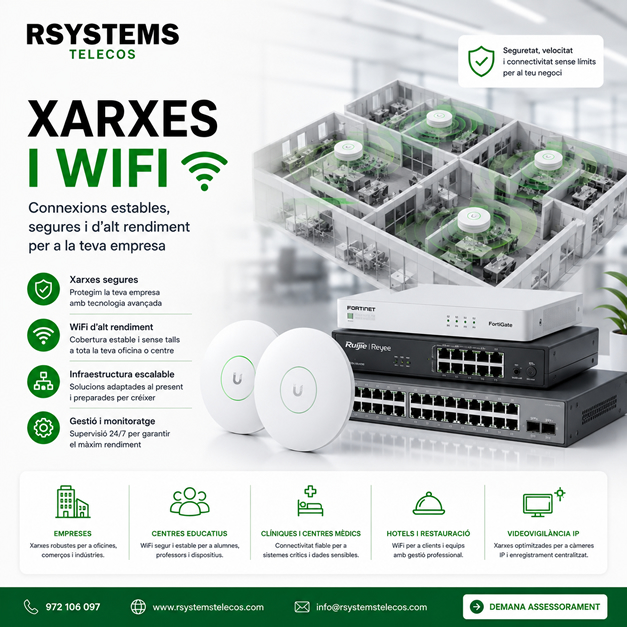
At RSystems Telecos, we help companies design, install, and review wired networks, professional WiFi, racks, switches, VLANs, and network segmentation.
We analyze the space, devices, coverage, existing cabling, security, and growth requirements to prepare a stable and easy-to-maintain infrastructure.
You can find more information about this service on our professional networks and WiFi for businesses page.
Would you like to review your company network?
If you have WiFi problems, a slow network, a disorganized rack, questions about VLANs, or want to prepare a more professional infrastructure, we can help you review the current situation and propose a suitable solution.
Contact RSystems Telecos and tell us what you need.


