
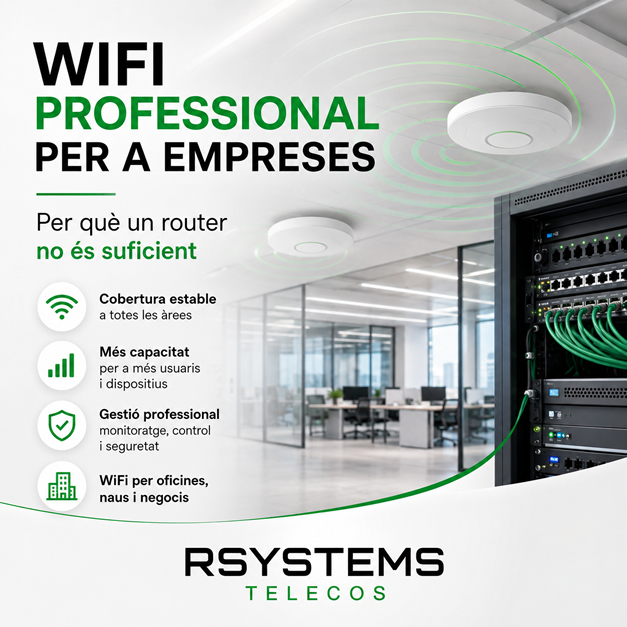
Professional WiFi for businesses: when the standard router is no longer enough
In many businesses, WiFi starts as something simple: a router installed in the office and a few connected devices. But as the company grows, more computers, mobile phones, tablets, printers, terminals, cameras, cloud systems, IP telephony, and equipment that requires a stable connection every day are added.
This is when the standard router is no longer enough. The connection may exist, but coverage does not reach properly, WiFi drops, some devices become slow, video calls fail, or IP telephony loses quality. In a professional environment, these issues are not just an inconvenience: they can directly affect the company’s productivity.
That is why many businesses need a professional WiFi solution for businesses, designed according to the space, number of users, type of devices, and real working requirements.
What is professional WiFi for businesses?
Professional WiFi for businesses is an infrastructure designed to provide stable, secure, and well-distributed coverage in offices, warehouses, shops, factories, clinics, storage facilities, or workspaces with many connected devices.
Unlike home WiFi or a basic router, a professional WiFi network uses access points, switches, structured cabling, security configurations, and often network segmentation to separate different types of usage.
It is not simply about having “more signal”. It is about having a properly designed network so that every area of the company has coverage, speed, stability, and security.
Why can a standard router fall short?
A standard router may be sufficient for a small office with few devices and limited requirements. However, when the company grows or the space becomes more complex, limitations begin to appear.
Coverage does not reach everywhere
One of the most common issues is that WiFi works well near the router but loses quality in other areas. This often happens in offices with thick walls, industrial warehouses, long spaces, multiple floors, or locations with significant metal structures.
In these cases, adding repeaters without proper planning can make the problem worse. The correct solution is usually to install professional access points strategically distributed and connected to the wired network.
There are too many connected devices
Computers, mobile phones, tablets, printers, POS systems, cameras, terminals, sensors, and work equipment can overload a poorly designed network. The result is a slow connection, occasional interruptions, or an inconsistent experience depending on the area or time of day.
A professional network must consider how many devices will connect and what type of usage they require.
The network is not segmented
In many companies, all devices share the same network: employees, visitors, internal devices, cameras, or management equipment. This is not recommended for either security or control reasons.
With a professional configuration, different networks can be separated by usage: internal network, guest network, IoT devices, telephony, cameras, or critical equipment.
WiFi affects IP telephony or video calls
When IP telephony, video calls, or cloud applications depend on an unstable network, problems become immediately noticeable. A dropped call or a delayed meeting can create an unprofessional impression.
That is why both WiFi and wired networks must be prepared to prioritize and support the services the company actually uses.
Professional WiFi does not simply mean adding more antennas
A common mistake is thinking that the solution is simply installing more WiFi access points. However, without proper design, this can create interference, overloaded areas, or connections that constantly switch between access points.
A professional installation must consider the space, materials, number of users, workstations, wired network, type of activity, and required security level.
Elements of a good business WiFi network
A good business WiFi network usually combines different technical elements. Every project is different, but these are some of the most common.
Professional access points
Professional access points allow WiFi coverage to be distributed in a more stable and controlled way. They can be installed on ceilings, walls, or strategic areas depending on the space.
Unlike a home repeater, a professional access point is part of a more controlled network infrastructure designed to support multiple devices.
Structured cabling
WiFi requires a good wired network foundation. If access points are not properly connected, the final quality will also be affected.
Structured cabling provides stable connectivity to key company locations: workstations, access points, printers, cameras, servers, racks, or terminals.
Switches and communication racks
Switches and racks help organize the network infrastructure. In a business, poorly organized cables, routers, switches, and equipment can lead to issues that are difficult to identify.
A properly installed, labelled, and documented rack makes maintenance, expansions, and troubleshooting easier.
VLANs and network segmentation
VLANs allow different types of traffic to be separated within the same infrastructure. For example, the administration network, guest network, camera network, or telephony network can be separated.
This segmentation helps improve network security, performance, and control.
Guest WiFi
Many businesses need to provide WiFi access to customers, visitors, or suppliers. However, this access should not be part of the same network as the company’s internal devices.
With a professional configuration, a separate, limited, and more secure guest network can be created.
When should a business review its WiFi?
There are clear signs that indicate the current WiFi is no longer sufficient.
- There are areas of the business where WiFi coverage is poor.
- Users complain about interruptions or slow speeds.
- Video calls fail or have poor quality.
- IP telephony does not work reliably.
- Many devices are connected at the same time.
- Cameras, POS systems, tablets, or IoT devices are used.
- There is no separate guest network.
- The rack or cabling is not properly organized.
- The company has grown or changed the layout of the workspace.
When these symptoms appear, it is not always necessary to replace everything. However, a technical review is recommended to identify the real source of the problem.
WiFi in offices, warehouses, and factories
Providing WiFi coverage in a small office is not the same as covering an industrial warehouse or factory. Each environment presents different challenges.
Offices
In offices, the challenge is usually providing stable coverage for workstations, meeting rooms, common areas, and spaces where video calls or cloud applications are used.
Warehouses and storage facilities
In warehouses and storage facilities, distances, shelving, metal structures, and the movement of people or equipment can significantly affect coverage.
Factories and industrial environments
In industrial environments, machinery, sensors, terminals, mobile devices, cameras, and systems requiring a more robust and segmented network must be considered.
Security is also part of professional WiFi
A business WiFi network should be convenient but also secure. Sharing a single password among employees, guests, and internal devices without any control is not recommended.
Security can include separate networks, strong passwords, access control, segmentation, device restrictions, and configurations adapted to the company’s actual usage.
Professional WiFi with RSystems Telecos
At RSystems Telecos, we design and install professional networks and WiFi solutions for businesses. We review the space, existing infrastructure, cabling, racks, switches, access points, and the company’s actual connectivity requirements.
The goal is for the network to stop being a problem and become a stable foundation for daily work: computers, IP telephony, mobile devices, cameras, cloud software, and connected devices.
You can find more information about this service on our business networks and professional WiFi page.
Would you like to improve your company’s WiFi?
If you are experiencing coverage issues, interruptions, slow speeds, or have questions about your network security, we can help you review your installation and propose a tailored solution.
Contact RSystems Telecos and tell us what you need.


